


 Buy. Download. Create. Get Photoshop Elements now at the Adobe Store.
Download a free 30 day Photoshop Elements 8 trial at the Adobe site.

Adobe Photoshop Elements 11 Learn by Video - 7 Free Clips
 Here are 7 free videos for Photoshop Elements 11 (30-day free trial) taken from the video tutorial series Adobe Photoshop Elements 11 Learn by Video - Manage, Optimize, and Share Your Photographic Memories. If you decide to purchase the complete training, use our discount code PSSEP30 for an instant 30% savings, good through end of October 2012.
Updating an Existing Catalog
If you've been using Photoshop Elements prior to version 11, you'll want to watch this lesson so you'll know exactly how to update your existing Elements catalog.
Identifying the People in Photos
The Elements Organizer includes a powerful "people recognition" feature that enables you to automatically identify the people in your photos. This lesson will show you how to put this feature to use.
Performing a Visual Search
The Elements Organizer lets you find images that are visually similar to a particular photo that you've identified. This lesson will show you how to use this impressive capability.
Creating a Perfect Portrait
In this lesson you'll learn how to apply a variety of adjustments to improve any photo that features a person, making it look like a great portrait.
Creating an Out of Bounds Effect
With the Out of Bounds guided edit you can make a subject pop out of the photo, as you'll see in this lesson.
Creating Reflections
This lesson will show you how to create a reflection effect that can add some elegance to a photo.
Creating Greeting Cards
This lesson will show you how to create custom greeting cards that feature your photos.
Photoshop Plugins - Get 15% Off All onOne, Topaz & Nik Plugins
 Enter coupon code - PSSPPT06 - during checkout at onOne Software for an instant 15% discount on any onOne product.
Topaz Labs Photoshop Plugins — 15% Off
Enter coupon code PHOTOSHOPSUPPORT at Topaz Labs for an instant 15% discount, including bundles and upgrades.
NIK Photoshop Plugins — 15% Discount Coupon
Enter coupon code NIKPSS during the checkout process at Nik Software for an instant 15% discount on any Nik plugin or bundle.
Adobe Photoshop Elements 11 At A Glance
 Adobe Photoshop Elements 11 helps you enhance your photos with powerful, easy-to-use editing options; showcase them in personalized printed keepsakes like calendars and photo books; and share them on Facebook and YouTube, in interactive Online Albums, and more.
The friendly and intuitive Photoshop Elements 11 environment offers bold icons, a helpful Action bar, and the ability to choose from Quick, Guided, and Expert editing modes to fit your needs.
Easily organize and find your photos
Keep track of all your memories with intelligent options that help you quickly organize, find, and view all your photos and video clips.
Manage your photos more easily
Intuitively sort and manage photos and video clips based on people, places, and events using new Organizer views.
Enhance photos to create perfect shots with ease
Make every photo look its best with powerful yet simple editing options that offer everything from quick fixes to unlimited creative possibilities.
Learn more or buy now.
Visit our Photoshop Elements 10 Resource Center. You can also signup to download a free 30-day trial of Elements 10. Also see our Photoshop Elements 10 Tutorials page, featuring a special Tilt Shift Tutorial from Photoshop expert Mark Galer.
Photoshop Elements 10 Tutorial - 16 Bits Channel Editing Secrets
Multi-layered editing in 16 Bits/Channel is the 'professional's approach to image editing, but it was never supposed to be possible in Photoshop Elements. In this extract from the full 16 bit tutorial (available in Photoshop expert Mark Galer's new Photoshop Elements Maximum Performance 10 book) he adopts the age old adage "never say never" and demonstrates how you can edit at the higher bit depth so that you can achieve maximum quality from your Raw files.
This project requires the use of camera raw files, rather than JPEG files. The bit depth of a Raw file is higher than the 8 Bits per channel of a JPEG file. If files are edited at a higher bit depth the color and tone of the image can be corrected or optimized to a much greater extent without the risk of introducing image artifacts and color banding in the final image. This is essential when the user requires maximum quality for a fine print.
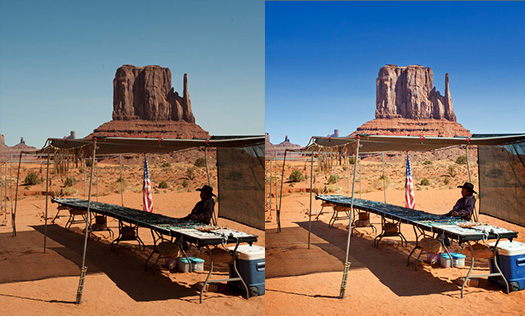
All professional photographer’s know that major edits to color and tone are best done in Adobe Camera Raw (ACR), as these changes are applied at the native bit depth of the sensor (usually 12 or 14 Bits/Channel). This ensures the histogram is kept in pristine condition and massively reduces the risks of tonal banding when the file is opened in the full edit space and then printed or saved for the web.
For most photographers, however, the full version of Photoshop is a simple case of overkill. Photoshop Elements can pretty do most things photographers want and need to do. Perhaps the most disappointing omissions in the budget version of Photoshop, however, are the lack of localized editing features in Adobe Camera Raw. This forces most Elements users to prematurely open the file in the main editing space of Elements to fine-tune some target colors, add a gradient or vignette and do simple spotting to remove the annoying dust bunnies.
This editing is usually performed at the lower 8 Bits/Channel as Photoshop Elements is not supposed to be able to support additional layers or adjustment layers and most editing tools do not function at all in the higher bit depth. Adobe has disabled these features but has mysteriously left enough of an odd assortment of tools and commands available (perhaps by accident) to make multi-layered editing at the higher bit depth possible… if you know Mark Galer’s secret workarounds. Although the workflow outlined in this project will demonstrate how we can edit multi-layered files at 16 Bits/Channel we will have to flatten the file before saving as Photoshop Elements will not open multilayered files at the higher bit depth - the price to pay for increased tonal quality.
Read the full tutorial -- 16 Bits/Channel Editing in Photoshop Elements
Create A Tilt Shift Effect In Photoshop Elements 10
 Our friend Mark Galer has written a tutorial that shows you how to create a tilt shift effect using Photoshop Elements 10. And remember, if you can do this in Elements, then you can surely do it in Photoshop.
The Tilt Shift effect is a popular technique that originated from the use of 'Tilt Shift' lenses. Architectural photographers use these specialized lenses to correct the converging verticals of the buildings they are photographing, but they can also be used creatively to shift the plane of focus so that areas of the image are thrown dramatically out of focus.
One of the most popular effects is to create a 'toy town' look where figures and cars look more like they have been placed in a model village. This effect can be created easily in post-production and the advantage is the cost saving (tilt shift lenses are extraordinarily expensive) and the fact that the point of focus can be changed at any time when and if you change your mind.
Read the full tutorial, How To Create The Tilt Shift Effect Using Elements 10.
Tonal Mapping And Faux HDR Effects In Photoshop Elements 9 - Tutorial
Adapted from "Adobe Photoshop Elements 9.0 Maximum Performance" by Mark Galer and Dr. Abhijit Chattaraj.
In this tutorial Mark Galer demonstrates how to give your photographs a ‘tonal mapping’ or ‘Faux HDR’ treatment to create a signature style. Mark Galer shows you how to boost detail by pushing some adjustments in Photoshop Elements 9 to the max.
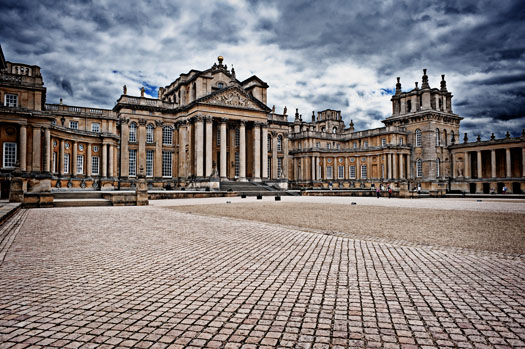
The final effect is one where the image seems to be part photograph/part illustration. Read the full tutorial.
Create A Faux Holga Effect In Photoshop
Adapted from "Adobe Photoshop Elements 9.0 Maximum Performance" by Mark Galer and Dr. Abhijit Chattaraj.
The Holga is a cheap (US $30) plastic medium format film camera mass-produced in China. Originally manufactured in the early 80’s for the home consumption, it has now gained cult status amongst bohemian western photographers who are drawn to the grunge ‘art’ aesthetic. The camera represents the antithesis of everything that the modern digital camera manufacturers are striving to achieve. If you are looking for edge-to-edge sharpness and color-fidelity then give the Holga a very wide berth. If, however you are looking to create images that are full of ‘character’, but without the hassle of going back to film, then you may like to look into the wonderful, and weird, world of Holga-style imagery and give this Photoshop workflow a spin (no Holga required).
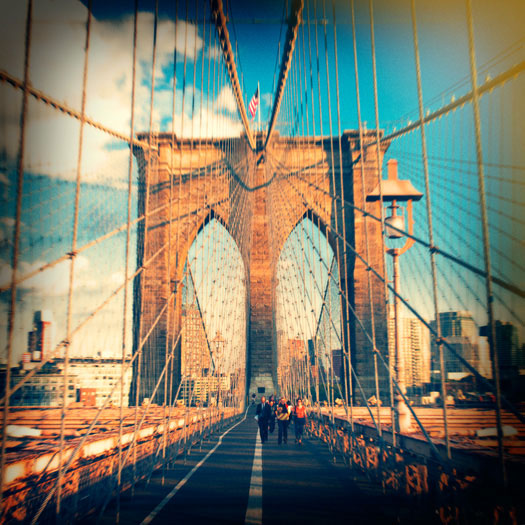
Getting tired of pin-sharp, noise-free, character-free images from your 24 Megapixel Pro DSLR?
Then try this grunge effect to give your images the toy camera aesthetic - think WEIRD – think GRUNGE, think ART! The treatment outlined in this tutorial is also available as an automated Photoshop action that can be downloaded from www.markgaler.com. Read the full How To Create A Holga Effect In Photoshop Tutorial.
Adobe Photoshop Elements 9.0 Maximum Performance - Photoshop Elements 9 Book
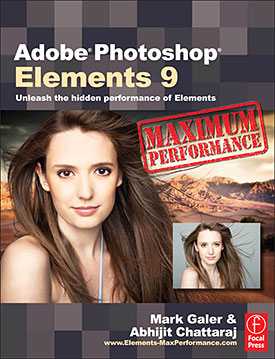 Let Mark Galer and Abhijit Chattaraj guide you through the most powerful photo editing tools and techniques that Elements has to offer. Adobe Photoshop Elements 9.0 Maximum Performance is a unique cominbtion of step-by-step projects, movie tutorials and sample images that will have you creating stunning images in no time at all. Whether you want to enhance your images for maximum impact, optimize your photos for perfect print quality, or create amazing, seamless montages, Adobe Photoshop Elements 9.0 Maximum Performance will give you the skills and know-how to create professional quality results, enabling you get maximum performance from this credit crunch approved software.
Full of far more content than any other Elements title — hours of tutorials, hundreds of images, and automated actions are just the start — Adobe Photoshop Elements 9.0 Maximum Performance will let you get Photoshop-quality results with Elements-priced software.
Create stunning images using powerful, little-known techniques.
The package is completed with an astonishingly supportive website packed with over 8 hours of movie tutorials, high resolution tutorial images, multimedia content and stock photography as well as automated actions to get even more out of the software.
High Dynamic Range - HDR - In Photoshop Elements 8 Tutorial
Adapted from "Adobe Photoshop Elements 8.0 Maximum Performance" by Mark Galer
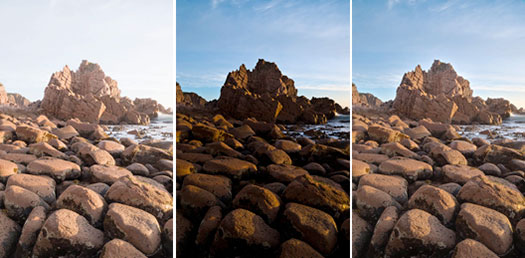
 Contrary to popular opinion, what you see is not always what you get. You may be able to see the detail in those dark shadows and bright highlights when the sun is shining – but can your image sensor? Contrast in a scene is often a photographer’s worst enemy.
Contrast is a sneak thief that steals away the detail in the highlights or shadows (sometimes both). Wedding photographers will deal with the problem of contrast by using fill flash to lower the subject contrast; commercial photographers diffuse their own light source or use additional fill lighting and check for missing detail using the Histogram.
Landscape photographers, however, have drawn the short straw when it comes to solving the contrast problem. For the landscape photographer there is no ‘quick fix’. A reflector that can fill the shadows of the Grand Canyon has yet to be made and diffusing the sun’s light is only going to happen if the clouds are prepared to play ball.
Read the complete tutorial.
Photoshop Elements 7 Tips, Tricks And Tutorials
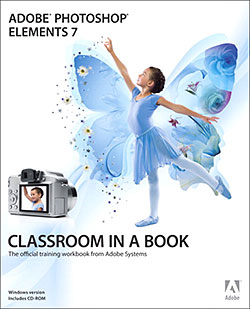
 Here are some tips and tricks and tutorials to help you work more efficiently in Photoshop Elements 7, all from Peachpit Press.
Why Won’t Photoshop Elements Do What I Tell It To Do?
Here's a list of explanations and solutions for common issues that might be blocking your progress in Adobe Photoshop Elements 7.
A Quick Tour of Photoshop Elements
If you're new to Photoshop Elements, this lesson will familiarize you with the Adobe Photoshop Elements 7 workspace and provide you with an overview of the tools and procedures you’ll use to capture and edit your digital images.
Getting Professional Results with Photoshop Elements and Your Inkjet Printer: Toning
Before digital photography, only black and white images could be chemically toned, but today toning can be applied to color images too. Tim Daly shows you how.
Sharing photos in e-mail
If you're new to Photoshop Elements, this lesson will familiarize you with the Adobe Photoshop Elements 7 workspace and provide you with an overview of the tools and procedures you’ll use to capture and edit your digital images.
 Automatic Photo Backups
So what are you going to do with 20 GB (or more) of online storage at Photoshop.com? Photoshop Elements 7 introduces an extremely welcome new feature: Automatic online backups of your images.
Importing media
Bringing your digital files into Photoshop Elements is easy.
Photomerge Scene Cleaner
You’ve probably seen the photo on the Internet or forwarded via email from a friend: a couple in full wedding attire are exchanging vows on the beach, the ocean meeting the sky in the background, and...what’s that? Yes, a topless sunbather is walking into the frame, ruining an otherwise romantic wedding photo. In Elements 7, however, that photo would be easily salvageable.
Smart Brush
You could accomplish the same results as the Photomerge Scene Cleaner by hand-editing areas between images, but it would take up more time. In the same spirit, the new Smart Brush tool offers a collection of common editing tasks that can be applied simply by painting areas of your photos.
Topaz Photoshop Plugins Bundle - 20% Discount - Seven Essential Photoshop Plug-Ins At Super Savings
 Use coupon code newadjust and save 20% on the Topaz Plugins Bundle, or Plugins Bundle upgrades. This coupon will expire on March 15, 2010.
Topaz Labs Photoshop plug-ins are specifically designed to expand a photographer's creative toolbox by harnessing powerful image technology developments.
Photographers everywhere are now taking advantage of the creative exposure effects, artistic simplification, unique edge manipulation, and top-of-the-line noise reduction offered in Topaz products. The Topaz Photoshop Bundle includes the following Topaz plugins:
Topaz Adjust (new version Adjust 4 just released — read full news on Adjust 4)
Deliver stunning and dynamic images with this uniquely powerful plug-in that features HDR-like abilities and enhances exposure, color and detail.
 Topaz Detail
A three-level detail adjustment plug-in that specializes in micro-contrast enhancements and sharpening with no artifacts.
Topaz ReMask
The fastest and most effective masking and extraction program with one-click mask refining.
Topaz DeNoise
Highest-quality noise reduction plug-in that removes the most noise and color noise while preserving the most image detail.
Topaz Simplify
Provides creative simplification, art effects, and line accentuation for easy one-of-a-kind art.
Topaz Clean
Take control of the detail depth of your images with extensive smoothing, texture control and edge enhancement tools.
Topaz DeJPEG
Drastically improves the quality of web images and other compressed photos.
Topaz Adjust 4 Photoshop Plugin — Creative Exposure, Detail Enhancement, And Color Control Create Stunning HDR Effects - Plus Instant 20% Discount Coupon
 Topaz Labs has announced a major upgrade of the Topaz Adjust Photoshop plug-in, which features new presets, a completely redesigned user interface, and upgraded image processing algorithms. With these improvements, Adjust 4 offers a new way for photographers to improve their photos quickly. Topaz Adjust 4 is a free upgrade for existing customers and retails for $49.99. It is compatible with Windows and Intel-based Macs.
20% Discount Coupon - Save $10 On Topaz Adjust 4
Use coupon code newadjust and save $10 and purchase Adjust 4 for only $39.99. This same coupon code will also work to save 20% on the Topaz Plugin Bundle, or Plugin Bundle upgrades. This coupon will expire on March 15, 2010. Also note that by entering our exclusive discount coupon code PHOTOSHOPSUPPORT during the checkout process at Topaz Labs you'll receive an instant 15% discount on any Topaz product, including bundles and upgrades.
“Topaz Adjust 4 uses unique technology that automatically adapts to different image conditions like light, detail, and color," said Albert Yang, president of Topaz Labs and original designer of Topaz Adjust. “This has important implications. Other tools make the same standard adjustments to every single photo they're applied to. In contrast, Topaz Adjust 4 tailors the adjustments specifically to the photo in question. This gives it the flexibility to ditch the cookie cutter enhancements and create some truly fantastic and unique photo effects.”

Digital photographers regularly spend hours post-processing their photos to get the perfect look. Topaz Adjust 4 makes this process easy by merging this extraordinary adaptive technology with many presets and an intuitive workflow. It’s an invaluable tool for photographers who demand quality photo effects, fast. In addition to the effects that Topaz Adjust is already known for — like pseudo-HDR, detail enhancement, and creative exposure — Topaz Adjust 4 includes a wide variety of new customizable presets that range from mild to extreme. This gives photographers a new flexibility to quickly choose and fine-tune the exact look that they are going for in any given photo.
Topaz Adjust 4’s other new features include a completely redesigned and improved user interface, enhanced image processing algorithms, and greater stability. It also works well with a variety of host programs. READ MORE ABOUT TOPAZ ADJUST 4.
Total Training For Photoshop Elements 5
Total Training has released Total Training For Photoshop Elements 5, a new 6 hour DVD video series designed to help users master the extensive, sometimes hidden capabilities of Photoshop Elements 5. The lessons teach practical and real-world techniques for editing photos and creating impressive designs, and are for levels beginner to advanced.
The series starts with an overview of how to use the Quick Fix mode, correct colors, and import the raw image data from a digital camera. You'll also learn how to fix defects in an image, sharpen the focus, and add high-resolution text. The series also shows you how to load the cleaned up photos onto an iPod or cell phone.
Other highlights include discovering how to sort and organize large quantities of images using Photoshop Elements, learning how to create beautiful digital paintings from scratch, and learning how to create a digital scrapbook and then how to post it online.
The presenter, Chad Perkins, is a professional software educator and an Adobe Certified Expert in Photoshop CS2. Before becoming a freelance consultant, educator, and designer, Chad was a Digital 3D and Animation Specialist, and produced work for many Fortune 500 and Hollywood-based companies.
 Total Training For Photoshop Elements 5 is priced at $49.99, but you can use our special discount link for an immediate 20% discount.
This package also includes a special bonus. Details are at the Total Training site. View some free clips from the training:
Photoshop Elements 5 Video Tutorial - Quick Fix Mode
In this video clip tutorial you will learn the following:
 How to start working in the Quick Fix Mode.
How to use Auto Levels to get pure whites in your images.
Photoshop Elements 5 Video Tutorial - Create A DVD Cover
In this video clip tutorial you will learn the following:
How to make a dvd cover using a template.
How to select a theme and add a photo.
Photoshop Elements 5 Video Tutorial - Create Warped Text
In this video clip tutorial you will learn the following:
How to create warped text.
How to change styles and how to accept the text style changes.
Photoshop Elements 5 - Free Tutorial - Selecting Hair
 Selecting & Extracting Hair - Masking Tutorial - Extraction Tips
 One of the most challenging montage or masking jobs in the profession of post-production editing is the hair lift. Get it wrong and, just like a bad wig, it shows. The first secret step must be completed before you even press the shutter on the camera. Your number one essential step for success is to first shoot your model against a white backdrop, sufficiently illuminated so that it is captured as white rather than gray.
The post-production is the easy bit - simply apply the correct sequence of editing steps and the magic is all yours. This is not brain surgery — but follow these simple steps and you will join the elite ranks of Photoshop gurus around the world. Celebrity status is just a few clicks away.
Use The Displace Filter & Displacement Maps To Make A Realistic Flag
 The layer blend modes are an effective way of merging or blending a pattern or graphic with a three-dimensional form. By using the blend modes the flag in this project can be modified to respect the color and tonality of the undulating silk beneath it.
The highlights and shadows that give the silk its shape can however be further utilized to wrap or bend the flag so that it obeys the material’s shape and sense of volume. This can be achieved by using the Displace filter in conjunction with a ‘displacement map’. The ‘map’ defines the contours to which the flag must conform. The final effect can be likened to ‘shrink-wrapping’ the flag to the 3-D form of the undulating silk.
Photoshop Elements 6: The Missing Manual - Free Sample Chapter
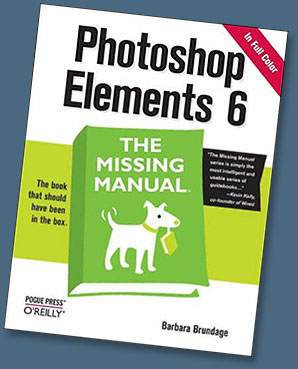 Bestselling author Barbara Brundage — whose day job is playing the harp — didn't plan on becoming an authority on Photoshop Elements, one the world's most popular photo-editing programs. Yet her newest publication — Photoshop Elements 6: The Missing Manual (O'Reilly, $26.39 at Amazon.com) — clearly secures Barbara's position as the premier Elements' expert.
"I'm a lowly musician, but if I can learn Elements anyone can," insists Barbara, the author of three previous books about Elements 3, 4, and 5. A few years back in 2001, Barbara chose Elements to create graphics for her new website and promo materials. She soon discovered the nifty software program also made arranging and publishing her harp music a whole lot easier. Then she got hooked on digital photography and relied on Elements to improve and organize her images.
"Fortunately, the folks at Missing Manuals know that sometimes it's easier for someone who isn't from a technical background to explain things to people who don't have a lot of technical knowledge," says Barbara about her road to authorship.
Indeed Barbara's technical knowledge combined with her appealing, down-to-earth writing style made her a perfect addition to the Missing Manual roster of authors. Founded by New York Times technology columnist David Pogue, O'Reilly's Missing Manual series specializes in producing beautifully written manuals for popular consumer software and hardware products — the book that should have been in the box.
Photoshop Elements 6: The Missing Manual provides the best possible guidance to scrapbookers, photographers at every level, budding graphic artists — anyone who wants to get the most out of the latest Elements upgrade. She clearly explains Photoshop Elements 6's exciting array of new features, including the new Quick Edit function, Windows Vista compatibility, improved RAW conversion, a handy Quick Selection Tool, and more. Under Barbara's intelligent tutelage, readers learn how to:
- Import, organize, and fix photos quickly and easily.
- Repair and restore old and damaged photos, and retouch any image.
- Jazz up their pictures with dozens of filters, frames, and special effects.
- Learn which tools the pros use — and finally understand how layers work!
- Create collages and photo layout pages for greeting cards and other projects.
- Get downloadable practice images and try new tricks right away.
Photoshop Elements 6: The Missing Manual progresses from simple to complex features. Those ready for the more sophisticated tools can easily jump around to learn specific techniques. As always, Barbara lets you know which Elements features work well, which don't, and why — all with a bit of wit and good humor. Adds Barbara: "Elements is wonderful software, but there's a lot going on there. I wanted to help people find their way around and to understand some of the great things they can do with the program."
Free Sample Chapter — Chapter 4: The Quick Fix
At the O'Reilly site you can find a great free sample chapter from the book — Chapter 4: The Quick Fix (PDF Format - 26 MB). From the intro:
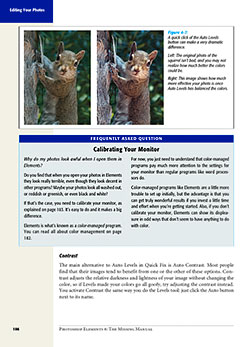 With Elements’ Quick Fix tools, you can dramatically improve the appearance of a photo with just a click or two. The Quick Fix window gathers easy-to-use tools that help adjust the brightness and color of your photos and make them look sharper. You don’t even need to understand much about what you’re doing. You just need to click a button or slide a pointer, and then decide whether you like how it looks.
If, on the other hand, you do know what you’re doing, you may still find yourself using the Quick Fix window for things like shadows and highlights because the Quick Fix gives you a before-and-after view as you work. Also, the Temperature and Tint sliders can come in very handy for advanced color tweaking, like finessing the overall color of your otherwise finished photo. You even get two tools—the Selection brush and the Magic Selection brush—to help make changes to only a certain area of your photo.
In this chapter, you’ll learn how to use all of the Quick Fix tools. You’ll also learn about what order to apply the fixes so you get the most out of these tools. If you have a newish digital camera, you may find that Quick Fix gives you all the tools you need to take your photos from pretty darn good (the way they came out of the camera) to dazzling.
Buy Photoshop Elements 6: The Missing Manual at Amazon.com and save 34% off the cover price.
Free Photoshop Elements 4 Trial Versions (30 Days)
Adobe has posted a free trial for Photoshop Elements 4.
 4 New Video Clip Tutorials For Photoshop Elements 3
We've added four clips from Adobe Photoshop Elements 3 Unleashed, hosted by Deke McClelland. Displace Filter, Styles And Effects, Spot Healing Brush Tool and Shape Tool.
Total Training - Adobe Photoshop Elements 3 Unleashed
Adobe Photoshop Elements 3 Unleashed is released. Read our review.
More Photoshop Elements News
Find more news on our Photoshop Elements News Page.

Photoshop Elements 3 — Free Video Tutorials
We now have a collection of free Adobe Photoshop Elements 3 video tutorials that you can launch from our site, courtesy of Total Training.
See Our Complete Photoshop Elements Tutorials Collection
Visit our Photoshop Elements Tutorials Page to see our full tutorial collection.


Digital Photography & Adobe Photoshop Elements 3 — DVD
Read our review of Total Training's Photoshop Elements 3 training DVD.
Photoshop Elements 3 For Beginners — DVD
Read our review of this Photoshop Elements 3 training DVD featuring Scott Kelby.
Photoshop Elements Great For Fixing Digital Images
Bob "Dr. Mac" LeVitus says "Photoshop Elements offers many of the same features as its more expensive counterpart, but is easier to use and sells for $500 less."
Read the full review.
See The Full List Of Our Photoshop Elements Product Reviews
Visit our Photoshop Elements Product Reviews Page to see the full list.
Photoshop Elements 5 - New Books
Adobe Photoshop Elements 5.0 Maximum Performance
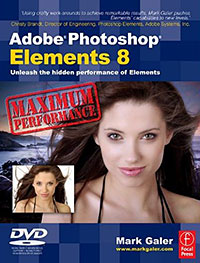
There's an interesting Photoshop Elements 5 book from Mark Galer that has come to my attention — Adobe Photoshop Elements 5.0 Maximum Performance. Part of the appeal is that the book ships with 5 hours of DVD tutorials and a whole bunch of free stock photos. That's a nice touch. And the book is getting a good amount of positive reviews, including this one: 'Using crafty work-arounds to achieve remarkable results, Mark Galer pushes Elements' capabilities to new levels.' — Christy Brandt, Director of Engineering, Photoshop Elements, Adobe Systems, Inc. Here's some press on Mark's book:
Adobe Photoshop Elements 5.0 Maximum Performance
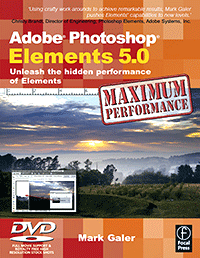 Get the most from your digital camera to produce high-end results that casual users only dreamed of. Your photos will look like a pro shot them as imaging guru Mark Galer shows you how to use critical but little-known techniques for professional quality editing.
- Create awesome effects with no commercial lighting or studio equipment
- Extend the dynamic range of your digital camera by merging multiple exposures
- Give your shots the WOW! factor with advanced options for more power
Everything is at your fingertips with the DVD:
- 5 hours of video tutorials, cataloged into digestible snippets
- Over 200 royalty-free, high-resolution images
- Raw and 16-bit/Channel files
- wMulti-layered project files, loadable presets and keyboard shortcut reference guide
Mark Galer is a senior lecturer in digital imaging at RMIT, Australia, is a Photoshop Elements Ambassador and is the author of 7 best-selling digital imaging books. 'Well written, well illustrated, with a good knack for explaining complex issues.' - Steve Caplin, digital illustrator and author of How to Cheat in Photoshop.
 Buy Adobe Photoshop Elements 5.0 Maximum Performance at Amazon.com (34% off).
visit Mark Galer's site.
Photoshop Elements 5.0 - Special Offer - only $65.99 at Amazon.com.
Photoshop Elements 4 - New Books
The Photoshop Elements 4 Book for Digital Photographers
by Scott Kelby
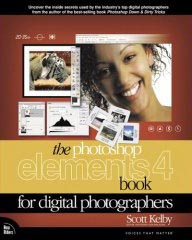 Like the best-selling former edition, The Photoshop Elements 4 Book for Digital Photographers breaks new ground by doing something for digital photographers that’s rarely done – it cuts through the bull and shows you exactly "how to do it." It’s not a bunch of theory; it doesn’t challenge you to come up with your own settings or figure things out on your own. Instead, it does something that virtually no other Elements book has ever done – it tells you flat-out which settings to use, when to use them, and why.
If you’re looking for one of those "tell-me-everything-about-the-Unsharp-Mask-filter" books, this isn't it. You can grab any other Elements book on the shelf, because they all do that. Instead, this book gives you the inside tips and tricks of the trade for correcting, editing, sharpening, retouching, and presenting your photos like a pro. You’ll be absolutely amazed at how easy and effective these techniques are–once you know the secrets.
Newly updated to cover Photoshop Elements 4, this full-color, easy-to-follow guide includes new tips that take advantage of Elements 4's hottest new features, including the Magic Selection Brush, which offers a quick way to make accurate selections in your photos; Magic Extractor, which lets you select an image and instantly remove the background; Auto Red Eye and Auto Skin tone tools; cool slideshow effects (text, graphics, narration, pans and zooms, and more); online sharing service; and more!
The Photoshop Elements 4 Book for Digital Photographers ($23.09 - 34% off)
Photoshop Elements 4 One-on-One
by Deke McClelland
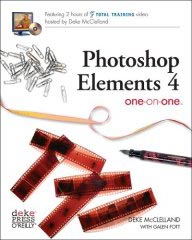 Photoshop Elements 4 One-on-One marks a landmark in computer publishing. In addition to offering 12 lessons of project-based tutorials with all sample files included, each lesson starts with a video introduction, hosted by the author himself, Deke McClelland. And these are no ordinary videos. Produced by Adobe's official video training partner, Total Training, each video measures 960 by 540 pixels and plays at 30 frames per second, with no interlacing. That's a play rate of 15.5 million pixels per second, making this the first computer publication to include high-definition video, playable on any modern PC with a DVD-ROM drive. The picture is so crystal clear, it's like watching the world-reknowned expert work right along with you.
In addition to the video — all new recordings created exclusively for this title — the book has been completely revamped for Photoshop Elements 4. Inside the full-color pages are new exercises devoted to color-correcting skin tones, auto-tagging images with faces, isolating foreground subjects, extracting people and objects from their backgrounds, creating custom slide shows, correcting red-eye, and sharing images online. Every bit as wildly ambitious and brass-tacks practical as the best-selling image editor itself, Photoshop Elements 4 One-on-One will have you gasping with amazement at your own creations. Deke puts the magic of digital imaging squarely where it belongs -- in your hands.
Photoshop Elements 4 One-on-One ($23.07 - 34% discount).
Adobe Photoshop Elements 4.0 Classroom In A Book
by The Adobe Creative Team
 Classroom in a Book, the best-selling series of hands-on software training workbooks, helps you learn the features of Adobe software quickly and easily. Classroom in a Book offers what no other book or training program does – an official training series from Adobe Systems Incorporated, developed with the support of Adobe product experts.
Adobe Photoshop Elements 4 Classroom in a Book contains eight lessons and a bonus CD with lesson files. The book covers the basics of learning Adobe Photoshop Elements, and countless tips and techniques to help you become more productive with its new features, including the Magic Selection Brush; Magic Extractor; Auto Red Eye and Auto Skin tone tools; cool slideshow effects; using an online sharing service to make your photos available for friends and family; and more. You'll learn how to correct photos like a darkroom pro, then share them in slide shows, calendars, on the Web, and more. You can follow the book from start to finish or choose only those lessons that interest you.
The Adobe Creative Team is made up of designers, writers, and editors who have extensive, real-world knowledge of and expertise in using Adobe products.
Adobe Photoshop Elements 4.0 Classroom In A Book ($23.10 - 34% off)